If you are downloading LayerOP on Windows, you might hit a security warning before the installer even opens. That can feel sketchy. I get it.
Let me break it down.
Why Windows complains
LayerOP for Windows ships directly from our site, we are not on the Microsoft Store yet.
SmartScreen expects a paid code signing certificate, which runs a few hundred dollars a year, so we shipped without one for now instead of waiting on paperwork and fees.
The file is fine. Windows just has not seen our publisher name before, so grab the installer from layerop.cc and you are good.
What you will probably see
Your browser might say layerop-windows.exe is not commonly downloaded. Click Keep or Keep anyway.
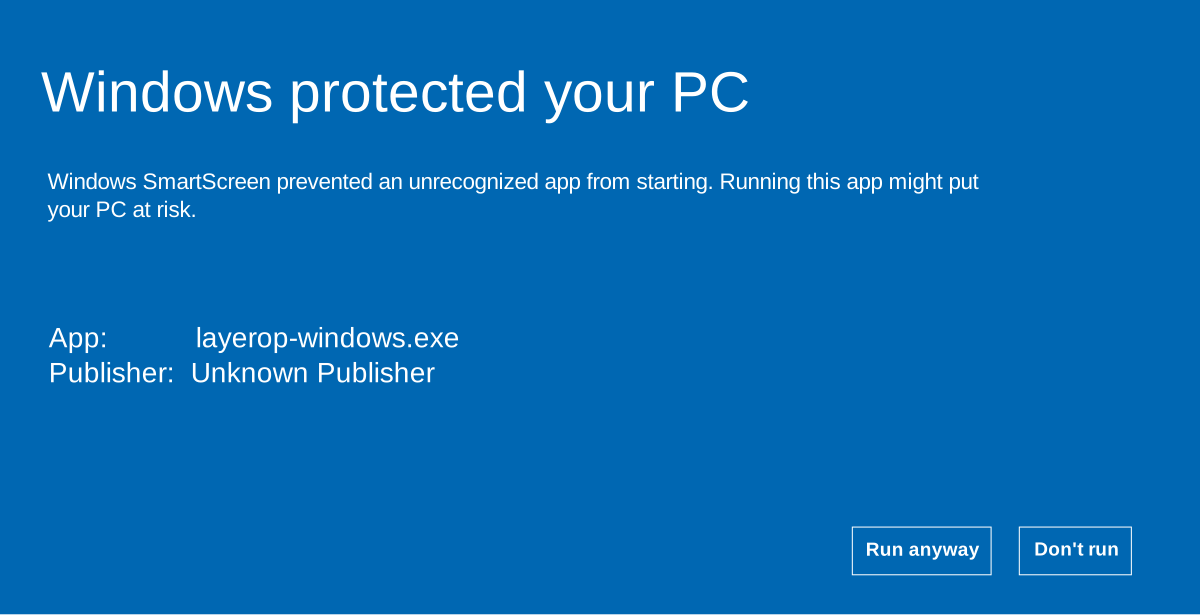
When you run the installer, SmartScreen will probably look like this:
How to install
- Download layerop-windows.exe from the home page.
- Double-click the file.
- Click Run anyway on the SmartScreen prompt.
- Finish the installer like any other game launcher or mod tool.
You only need to do the extra click once per install.
macOS is a different story
The Mac build is signed and notarized through Apple, you should not run into the same warning there.
Will we fix this?
Yeah! As LayerOP grows, we will look at proper Windows signing so this extra step goes away. For now we would rather be upfront about the click than pretend it does not exist.
If you are stuck after trying the steps above, email us at hello@layerop.cc.
— Andrioli Soares